INSTRUCTIONAL VIDEO:
![]()
Use Case
Removing an entire Product IDs or SKUs within the client’s catalog and rendering it “Out of Stock” so it won’t show up in their ads.
Example:
Calvin Klein client has sent you an email of one or two SKUs or Product IDs they want to immediately stop advertising due to some last minute customer complaints about them.
Solution is to apply the following Max code to Availability Field in Product Catalog:
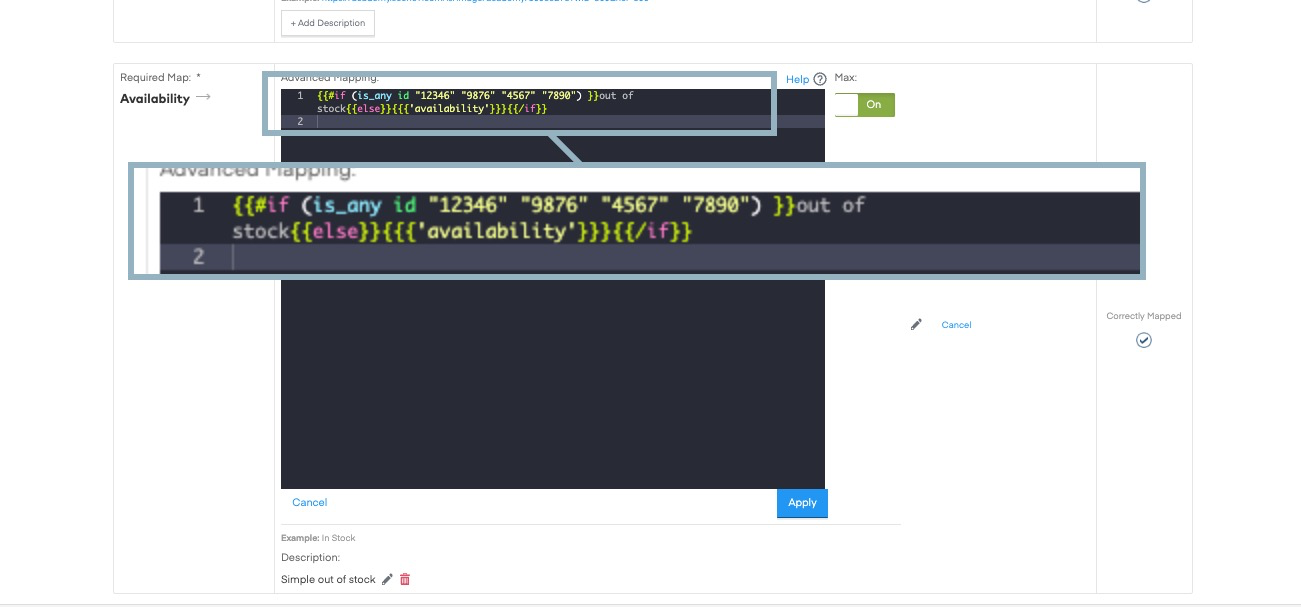
Copy and Paste this Code |
{{#if (is_any id "####" "####") }}out of stock{{else}}{{{'availability'}}}{{/if}}
|
Instructions to ADD Max Rule Yourself: Copy (control C or command C) the code above Go to Product Catalog → Map section → Availability field Click on Edit Field (pencil icon) Paste the code you entered REPLACE “####” and carefully replace and write over the full numerical Product ID or SKU you are trying to remove. Make sure it is between the quotes. You can add more Product IDs and SKUs if neededby Add a space after the last product ID in quotes, then the Product ID/SKU in between quotes a Note all Product IDs between quotes must be before the Close Parenthesis
Leave the rest of the code alone and don’t edit anything else! Click APPLY
|
NOTES:Input this in the availability field only id - input the field that contains the IDs to mark as out of stock … - input the IDs in quotes (' or ") and separated by spaces out of stock - any matching IDs will have out of stock input into the availability field. Change out of stock if you want to insert different text.
Inserts the original availability field for any ID that is not listed
|

Comments
0 comments
Please sign in to leave a comment.